Software removal sounds simple until mixed environments, old installers, and policy-managed endpoints enter the picture. In practice, uninstall quality depends less on button-clicking and more on method: staged removal, validation checkpoints, and conservative deletion of suspected remnants.
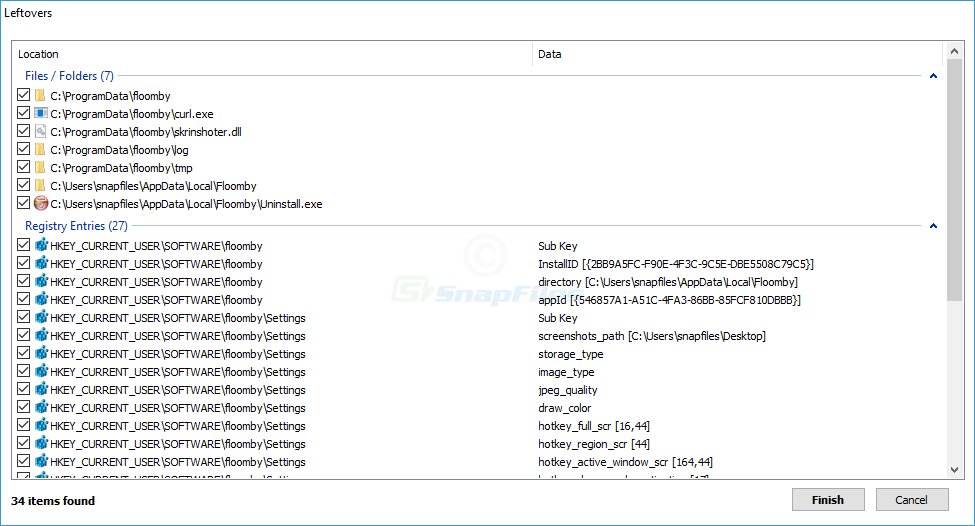
For consumer machines, the highest-value habit is reading every leftover entry before confirmation. For managed fleets, the highest-value habit is change documentation: what was removed, what remained, and what required a follow-up reboot. This saves hours during repeat tickets.
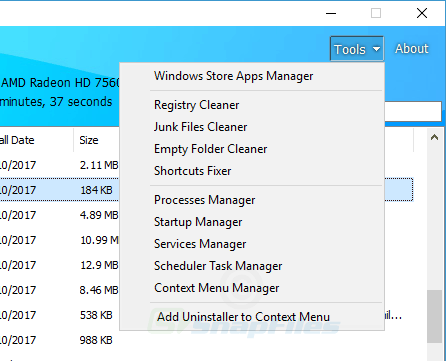
Another practical pattern is to separate functional cleanup from cosmetic cleanup. Functional cleanup focuses on processes, tasks, services, and stability. Cosmetic cleanup focuses on empty folders and minor registry residue. Prioritize stability first, cosmetics second.
When troubleshooting persistent reinstallation, investigate policy channels, vendor agents, and cloud profile sync before suspecting uninstall failure. In many cases, the app returns because another system is designed to restore it. Identifying that source is the real fix.
If your goal is safe optimization, pair uninstall actions with measurable checks: startup time, idle memory, disk impact, and error logs after reboot. Clear metrics beat assumptions and help avoid over-cleaning.